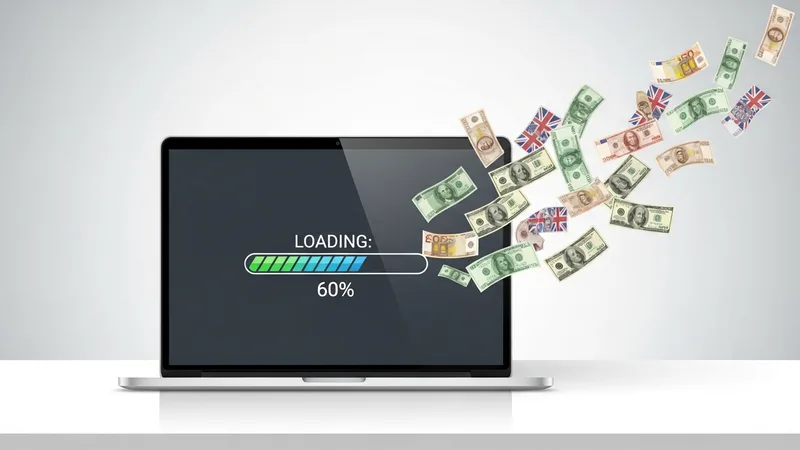
One Second Can Cost You Everything
A slow landing page is the most common and most ignored profit killer in paid advertising. Last year I consulted with an ecommerce brand spending $22,000 a month on Meta ads. Their return on ad spend had been declining for three months straight. The founder was convinced his creative was getting stale. He was planning a complete rebrand of his ad assets. A project that would cost $15,000 and take six weeks.
Before he started, I asked him to check his landing page load time. He pulled it up on his laptop in under a second. "Looks fine to me," he said. But that was the cached version on his home fiber connection. We tested it from a cold mobile connection. The same experience 73% of his visitors were having. The page took 6.2 seconds to become fully interactive.
That single number explained everything.
How a Slow Landing Page Bleeds Revenue Every Day
Google published research showing that as page load time increases from 1 to 3 seconds, the probability of a visitor bouncing increases by 32%. From 1 to 5 seconds, that number jumps to 90%. From 1 to 6 seconds, the bounce probability increases by 106%. This is a slow landing page problem that monitoring catches early.
These are not abstract percentages. You can convert them into dollars with a simple formula:
This is closely tied to what we wrote about in every Agency Should Know About Client Funnel Monitoring.
Monthly cost of slow page = (Monthly ad spend) x (% of traffic lost to bounce) x (Average conversion rate) x (Average order value)
Running the numbers
Let us apply this to the ecommerce brand I mentioned. Their numbers looked like this: Addressing slow landing page issues like this prevents the damage from compounding.
- Monthly ad spend: $22,000
- Average monthly clicks: 44,000 (at $0.50 CPC)
- Page load time: 6.2 seconds
- Estimated excess bounce rate due to speed: 40%
- Visitors lost to bounce: 17,600 per month
- Their conversion rate (when page loads properly): 3.8%
- Lost conversions per month: 669
- Average order value: $67
- Monthly revenue lost to page speed: $44,823
Read that last number again. They were losing more in revenue from slow page speed than they were spending on ads. The $15,000 rebrand would not have fixed any of it.
What Speed Should You Target?
Mobile load time benchmarks vary by industry, but the general thresholds that separate winners from losers are consistent:
If this resonates, check out our post on social Proof Widgets That Break Your Landing Page and How to Fix Them.
- Under 1.5 seconds. Excellent. Your page is in the top 10% of web performance. Bounce rates due to speed are negligible.
- 1.5 to 2.5 seconds. Good. You are competitive. Minor optimizations could unlock incremental gains but you are not bleeding money.
- 2.5 to 4 seconds. Danger zone. You are losing 20-35% of mobile visitors before they see your offer. Every day you spend here costs you money.
- Over 4 seconds. Critical. You are actively burning ad spend on visitors who will never convert. Fixing this should be your top priority above all other marketing activities.
The Five Biggest Speed Killers on Marketing Landing Pages
After auditing hundreds of landing pages, these are the issues I see causing the most damage, ranked by how commonly they appear: A reliable slow landing page check would have flagged this within minutes.
1. Uncompressed hero images
A 3MB hero image is the single most common speed killer. Marketers upload beautiful high-resolution photos without compressing them for web. Converting to WebP format and properly sizing images can cut load time by 1-2 seconds alone.
2. Too many third-party scripts
Each tracking pixel, analytics tool, chat widget, and heatmap script adds render-blocking time. I have seen landing pages loading 14 different third-party scripts. Each one is a small tax on your load time, and they add up fast.
3. Render-blocking CSS and JavaScript
When critical CSS and JS files are not properly prioritized, the browser cannot display content until every file finishes downloading. Inlining critical CSS and deferring non-essential scripts can dramatically improve perceived load time. This is why slow landing page detection matters for every campaign.
4. No CDN or misconfigured CDN
If your landing page is served from a single server location and your ads target multiple geographies, visitors far from your server experience much slower load times. A CDN distributes your content globally and can cut load time in half for distant visitors.
5. Font loading delays
Custom fonts that load from external servers add latency. When fonts take too long, visitors see either a flash of unstyled text or, worse, invisible text while the font downloads. Using font-display: swap and preloading critical fonts prevents this.
Speed Is Not a Set-It-and-Forget-It Metric
The ecommerce brand I consulted with had a fast page at launch. It got slow over time as their team added features, scripts, and media without considering the cumulative impact. This is why continuous page speed monitoring matters more than one-time optimization.
When your page speed degrades gradually, you will not notice it in your analytics as a sudden event. You will see a slow erosion of conversion rate that looks like ad fatigue or market saturation. Without automated monitoring that alerts you when load time crosses a threshold, you might spend months optimizing the wrong things. As we covered in how broken landing pages drain your ad budget, the gap between what you think your page does and what it actually does is where the money disappears.
If you want to know where your pages stand right now, run a free speed and health scan. It will tell you your actual load time from a visitor perspective and flag the specific issues slowing you down.