The Psychology Works but the Implementation Often Doesn't
A countdown timer on a landing page is supposed to create urgency. But most timer setups introduce technical problems that cost more sales than the urgency gains. Urgency is one of the most reliable conversion drivers in marketing. When people believe they have time-sensitive to act, they make faster decisions. This is not controversial. Decades of behavioral research confirm it. Countdown timers are the most common mechanical application of urgency in digital marketing.
The problem is not the psychology. The problem is that most countdown timer implementations introduce technical issues that offset or exceed their conversion benefits. I have audited dozens of landing pages where removing a countdown timer actually increased conversions. Not because urgency stopped working, but because the timer's side effects were worse than the urgency benefit.
Four Ways a Countdown Timer Hurts Your Landing Page
1. Page speed impact
Most countdown timer plugins and widgets add between 50KB and 200KB of JavaScript to your page. The timer needs to render, update every second, and synchronize with a time source. Some timers also load custom fonts, animation libraries, and their own CSS frameworks.
On a page that loads in 2 seconds, adding a timer that contributes 0.5 seconds of load time might seem acceptable. But as we covered in our analysis of page speed costs, every fraction of a second matters. That 0.5-second increase can cost you 5-8% of mobile visitors who bounce before the page fully renders.
You might also want to read about every Agency Should Know About Client Funnel Monitoring.
2. Layout shift during loading
Countdown timers often render after the main page content loads. When the timer appears, it pushes surrounding content down or sideways. This is called Cumulative Layout Shift (CLS), and it creates a jarring experience for visitors. Google penalizes high CLS scores in search rankings, and visitors who experience layout shifts are more likely to leave.
The worst implementation is a timer that loads in the hero section above the fold. As the timer renders, it shifts the headline, subheadline, and call-to-action button downward. Visitors who were about to click the CTA find their target has moved.
3. Expired timers that destroy trust
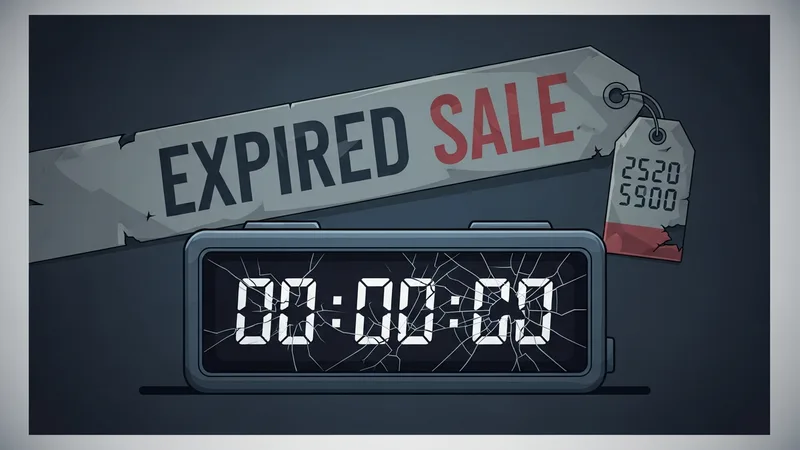
This is the most damaging failure and it is disturbingly common. A timer counts down to a deadline, "Offer expires in 2 hours and 14 minutes". But when the timer reaches zero, the offer is still available. Sometimes the timer resets. Sometimes it shows negative numbers. Sometimes it just displays 00:00:00 while the buy button remains active.
We dug into this further in our piece about page Speed Kills Conversions: How to Monitor and Fix Slow Landing Pages.
Visitors are not stupid. When they see an expired timer next to a live offer, they know the urgency was manufactured. Trust evaporates instantly. And once a visitor decides they cannot trust your page, no amount of copy or social proof will bring them back.
Even worse is the "evergreen" timer that starts a fresh countdown for every visitor. Returning visitors see a timer that restarted since their last visit. This confirms the manipulation and turns a conversion tool into a credibility destroyer.
4. Cookie consent and script blocking
In regions with GDPR or similar privacy regulations, cookie consent banners can block third-party timer scripts from loading. If your timer relies on a cookie to track when the visitor first arrived (for evergreen timers), the timer does not work until the visitor accepts cookies. This creates an inconsistent experience where some visitors see a timer and others do not.
When Countdown Timers Actually Work
Despite these issues, countdown timers can genuinely boost conversions when implemented correctly. The key differentiators between timers that help and timers that hurt:
- Real deadlines. The timer counts down to an actual event: a webinar start time, a seasonal sale end date, a limited-inventory product. When the timer hits zero, the offer genuinely ends.
- Lightweight implementation. The timer is built with vanilla JavaScript, adds minimal page weight, and renders without layout shift. No external dependencies, no third-party scripts.
- Consistent behavior. The timer shows the same deadline to every visitor. It does not reset on refresh. It does not restart for returning visitors. It behaves like a real clock counting down to a real moment.
- Graceful expiration. When the timer reaches zero, the page changes. The offer is replaced with a "this offer has expired" message, or the page redirects to a waitlist. The behavior matches the promise the timer made.
The Implementation Checklist
If you are going to use a countdown timer, follow this checklist to avoid the common pitfalls:
- Build or choose a timer that adds less than 20KB of JavaScript
- Reserve space in your layout for the timer so it does not cause content shift when it renders
- Server-sync the timer so it shows the same time regardless of the visitor's local clock settings
- Test the timer's impact on page speed. Compare load times with and without it
- Define and implement expiration behavior before the deadline arrives
- Monitor the page continuously to verify the timer renders correctly and does not conflict with other elements
If your current landing page uses a countdown timer, run a quick scan to check whether it is affecting your page speed or causing layout issues. The urgency a timer creates is only valuable if the page it lives on is fast enough and functional enough for visitors to act on it.