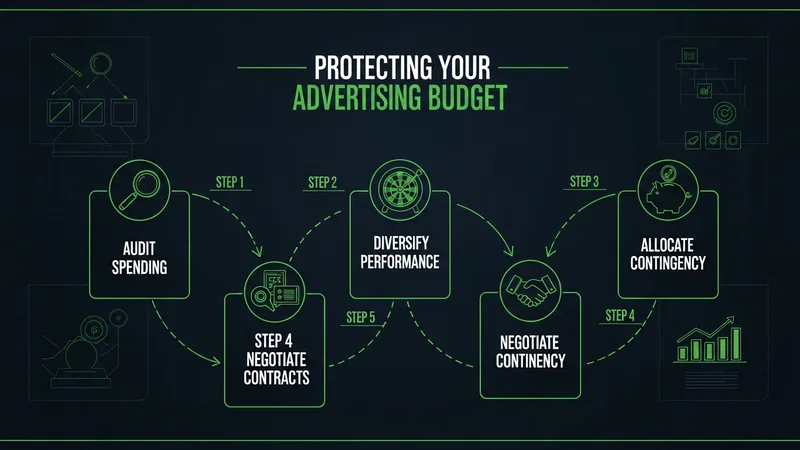
Why Every Ad Account Needs an Advertising Budget Protection Plan
You have insurance for your car. You have insurance for your home. But you probably have zero protection for the money you spend on ads every month. An advertising budget protection plan is the insurance policy for your ad spend. A system that catches failures and stops waste before it accumulates.
Most marketers skip this because they assume their pages work. They do work. Until they do not. And the gap between "it broke" and "someone noticed" is where budgets die.
Step 1: Inventory Every Ad Destination
Pull every URL from every active ad across every platform. Google Ads, Meta, LinkedIn, TikTok. All of them. Create a master list of every page your ad budget currently sends traffic to. This is the foundation of your advertising budget protection plan because you cannot protect what you do not know about.
Most teams are surprised by what they find. Old campaigns pointing to pages that no longer exist. Test URLs that were never updated to production. Landing pages from three campaigns ago that are still receiving traffic.
This is closely tied to what we wrote about in build an Ad Budget Leak Detection System That Actually Works.
Step 2: Baseline Every Page
For each page on your list, record the current state:
- Page load time on mobile
- Form submission status (working or broken)
- SSL certificate expiry date
- Tracking pixel status (firing or not)
- Redirect status (if the URL redirects, where does it end up?)
This baseline becomes your reference point. Any future deviation from these numbers signals a potential problem. We covered the specific checks that matter most in our 30-minute funnel audit guide.
Step 3: Set Up Automated Monitoring
Manual checks are a start. But a real advertising budget protection plan runs on automation. Set up monitoring that checks every page on your list every 15 to 30 minutes. The checks should cover all five items from Step 2.
If this resonates, check out our post on ad Budget Optimization Strategy That Starts With Your Landing Page.
Configure alerts that go to your phone, not just email. A Slack notification at 2 AM is useless if nobody checks Slack until 9 AM.
Step 4: Create Auto-Pause Rules
This is the critical step most teams skip. When a page fails a critical check. Broken form, 404 error, SSL expiry. Your campaigns should pause automatically. No waiting for a human to see the alert, log into the ad platform, and manually pause. The system handles it.
Set the threshold at three consecutive failures to avoid pausing on temporary glitches. Three failures in a row over 45 minutes means the problem is real and the campaigns should stop spending.
Step 5: Review and Update Monthly
Your advertising budget protection plan needs maintenance. Every month, review:
- New ad campaigns added. Are their destination URLs being monitored?
- Pages that were changed. Do the checks still match the current page?
- Incidents that occurred. What failed, how long did it take to detect, and how can you prevent it next time?
Your ad account changes. Your website changes. Your protection plan should change with them.
Start Building Your Plan Now
Step 1 takes 15 minutes. Step 2 takes 30 seconds, run a free scan to get your baseline on page speed, form status, SSL, and tracking for every landing page. From there, you can build the monitoring and auto-pause layers that turn a basic audit into a complete advertising budget protection plan.